

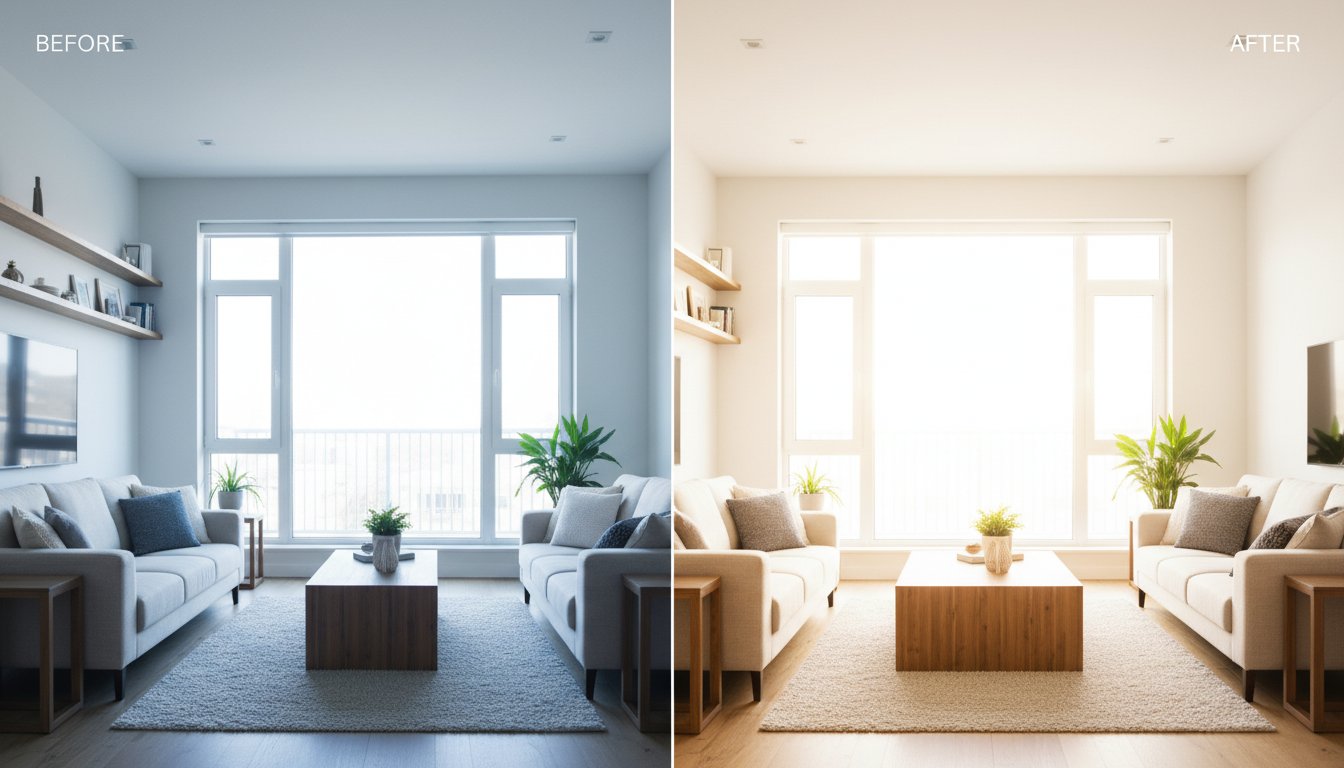
Tired of spending hours editing property photos only for them to look dark, yellow, or inconsistent? You are not alone. Real estate images need to feel bright, clean, spacious, and trustworthy, and that is why so many photographers search for Photoshop presets even when Lightroom is usually the faster tool for the job. This guide explains what actually works for real estate editing, where Photoshop fits, and how to build a cleaner workflow that saves time.
Photoshop presets vs Lightroom presets for real estate
The first thing to clear up is terminology. Many users search for “Photoshop presets,” but in practice they often mean either Photoshop actions, Camera Raw settings, or a repeatable editing style that helps listing photos look polished. Photoshop is fantastic for detailed finishing work, but if you are editing full property galleries, Lightroom presets are usually the better base workflow.
- Use Lightroom presets for fast batch edits, consistent color, and gallery-wide style.
- Use Photoshop for advanced cleanup, object removal, window pulls, compositing, and difficult one-off fixes.
In other words, Lightroom handles speed and consistency. Photoshop handles precision. Most real estate photographers get the best results when those two tools work together instead of trying to force Photoshop to handle the entire gallery alone.
When Photoshop is actually useful in property editing
Photoshop becomes valuable when the photo needs more than global adjustments. Here are the situations where Photoshop usually earns its place in the workflow:
- removing distractions like cords, stains, or minor wall blemishes
- blending difficult window exposures
- cleaning reflections or mirror distractions
- replacing small problem areas without reshooting
- performing detailed perspective or composite corrections
For everything else, a strong preset workflow in Lightroom is usually faster, especially when you need to deliver a full shoot on a deadline.
Best editing looks for real estate photography
Whether you use Lightroom, Photoshop, or both, the styles that work best for listings are the ones that support clarity and trust.
Bright and airy
Great for family homes, apartments, and light-filled interiors. This style keeps rooms feeling open and marketable.
Clean natural
Best when you want walls, cabinets, flooring, and finishes to stay realistic. This is often the safest MLS-friendly approach.
HDR-supporting clarity
Useful for rooms with strong window light where both interior detail and exterior view matter.
Luxury contrast
Works for premium properties that need a slightly richer and more polished editorial feel without going too dark.
The fastest workflow for most real estate shoots
If speed matters, this is the workflow most photographers should start with:
- Import the full shoot into Lightroom.
- Apply a real estate base preset to the first image.
- Correct exposure and white balance.
- Sync to similar frames from the same room or lighting setup.
- Send only the hardest frames to Photoshop for cleanup.
That gives you the best of both worlds: fast delivery plus higher-end finishing where it matters most.
Why dedicated real estate presets still matter
Generic presets often fail on property photos because they were built for portraits, travel, or social media. Real estate presets are better at handling:
- mixed indoor lighting
- bright windows and darker rooms
- neutral whites and believable materials
- batch consistency across an entire listing
If that is the workflow you need, our dedicated real estate Lightroom presets hub is the best place to start. You can also jump straight to broader collections in our Lightroom preset bundles.
Should real estate photographers use Lightroom or Photoshop?
For most shoots, Lightroom should be the main editing environment. It is faster, better for batch work, and more practical for large galleries. Photoshop should be the finishing tool for problem images, not the entire system. If you are building a repeatable real estate workflow in 2026, Lightroom-first is still the most efficient answer.
Related guides
- Real Estate Lightroom Presets
- How to Fix Bad Indoor Lighting with Presets
- How to Install Lightroom Presets
Frequently asked questions
Can Photoshop replace Lightroom for real estate photography?
It can, but it is usually slower and less efficient for batch work. Lightroom is the better base editor for listing galleries, while Photoshop is best for selective finishing.
Are Photoshop actions good for real estate editing?
They can help with repeated finishing steps, but they are usually less practical than Lightroom presets for full property galleries.
What is the fastest way to edit real estate photos?
Use a dedicated real estate preset in Lightroom, sync the base look across similar shots, and only send the toughest frames to Photoshop.
If your goal is a cleaner, faster, and more consistent property workflow, start with the dedicated real estate Lightroom presets page and build outward from there.

