

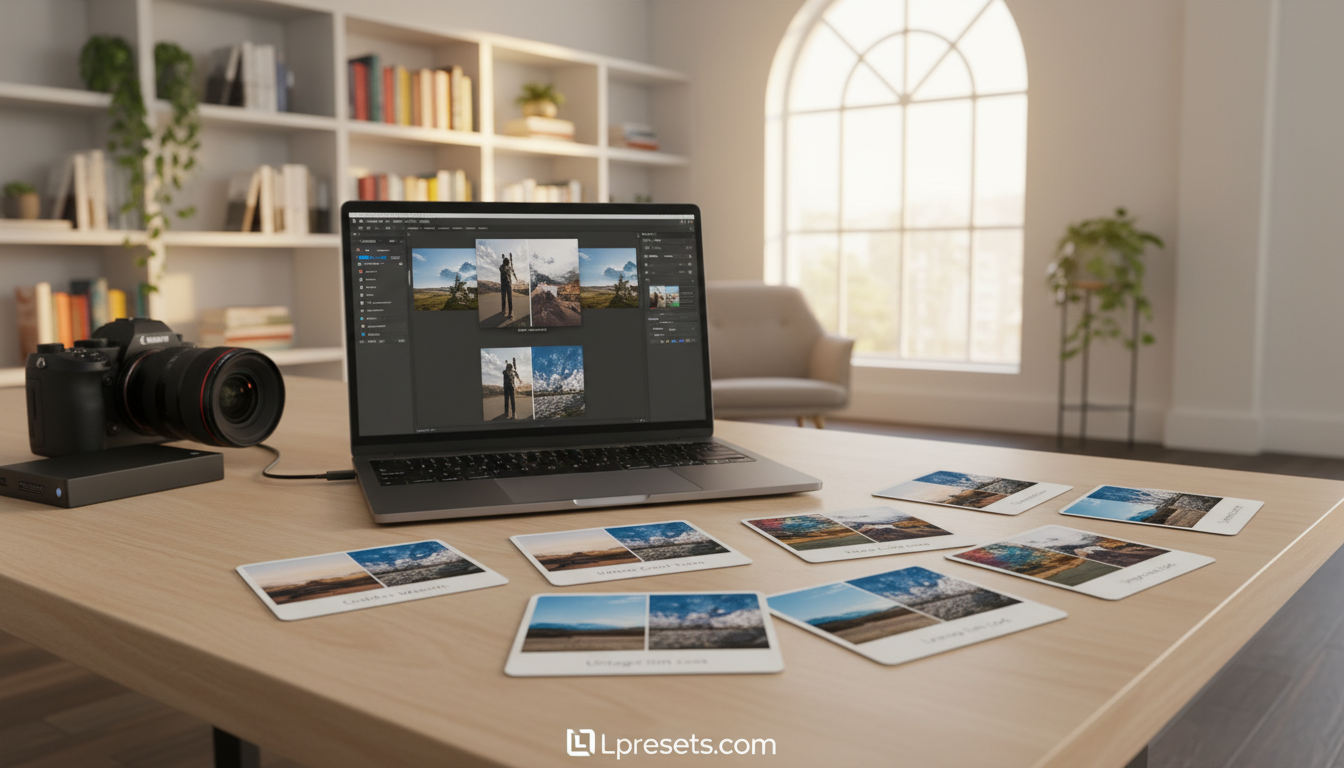
Every photographer wants to make their images stand out with a professional touch. One of the fastest ways to achieve this involves using high-quality digital tools for quick results. These resources help you transform a basic shot into a stunning piece of art instantly.
When you want to save time, photo editing presets offer a reliable shortcut for high-quality work. You can achieve consistent results across your entire gallery without spending hours on manual adjustments. This approach allows you to focus more on the artistic vision rather than the technical grind.
You can find many curated options on platforms like lpresets.com to help refine your personal style. This site offers unique collections that simplify the complex task of color grading for any project. This guide explores how these assets improve your workflow and visual storytelling today.
Key Takeaways
- Speed up your editing process with professional digital tools.
- Access high-quality curated collections at lpresets.com.
- Achieve consistent looks across your entire photography portfolio.
- Simplify difficult color grading tasks in just a few clicks.
- Focus more on creativity and less on tedious manual sliders.
- Elevate your image quality for a polished and social-ready look.
What Are Lightroom Presets?
Adobe Lightroom presets have revolutionized the way photographers edit their photos, providing a quick and efficient method to achieve a desired look. These presets are pre-defined settings that can be applied to images to enhance their aesthetic appeal.
Definition and Purpose
Lightroom presets are essentially a set of instructions that tell Lightroom how to process an image. They can adjust various parameters such as exposure, contrast, and color balance to give the image a specific look or feel. The primary purpose of using professional Lightroom presets or custom Lightroom presets is to save time and maintain consistency across a series of photos.
For instance, a photographer specializing in wedding photography might use a specific preset to give all their photos a romantic, warm tone. Similarly, a landscape photographer might use a different preset to enhance the natural colors and contrast of their images.
How Presets Work in Lightroom
When a preset is applied to an image in Lightroom, it adjusts the image’s settings according to the preset’s parameters. This can include adjustments to exposure, contrast, highlights, shadows, and color grading, among others. The beauty of using presets lies in their flexibility; they can be adjusted and fine-tuned to suit the specific needs of each image.
For example, a photographer can start with a custom Lightroom preset and then make further adjustments to exposure and contrast to perfect the image. This combination of using presets as a starting point and then fine-tuning them allows for both efficiency and creativity in the editing process.
Websites like lpresets.com offer a wide range of professional and custom Lightroom presets that cater to different photographic styles and needs. These presets can be easily imported into Lightroom, allowing photographers to expand their creative possibilities.
| Preset Type | Description | Use Case |
|---|---|---|
| Portrait Presets | Enhance skin tones and facial features | Wedding, fashion, and portrait photography |
| Landscape Presets | Improve natural colors and contrast | Landscape and outdoor photography |
| Black and White Presets | Convert images to black and white with specific tones | Monochrome photography, adding drama to images |
Benefits of Using Lightroom Presets
Lightroom presets offer a powerful solution for photographers seeking efficiency and consistency in their editing workflow. By applying a preset, photographers can instantly enhance their photos with a single click, saving a significant amount of time that would otherwise be spent on manual adjustments.
Time-Saving Advantages
One of the most significant benefits of using top rated Lightroom presets is the time-saving aspect. These presets allow photographers to apply a specific look or style to their photos instantly, eliminating the need to manually adjust settings for each image. This is particularly beneficial for photographers who need to edit a large number of photos within a tight deadline.
For instance, using must-have Lightroom presets for portrait photography can help achieve a consistent skin tone and exposure across multiple photos, reducing the overall editing time. This efficiency enables photographers to focus more on the creative aspects of their work.
Consistent Aesthetic Across Photos
Maintaining a consistent aesthetic across a series of photos is crucial for photographers, especially for those who regularly post content on social media or have a professional portfolio. Best Lightroom presets help achieve this consistency by applying the same style or look across multiple images.
This consistency not only enhances the visual appeal of a photographer’s work but also contributes to establishing their brand identity. For example, using a specific preset for landscape photography can give all the images a cohesive look, making the portfolio more visually appealing.
| Preset Type | Primary Use | Benefits |
|---|---|---|
| Portrait Presets | Enhancing skin tones and facial features | Consistent look across portraits, time-saving |
| Landscape Presets | Adjusting colors and exposure for outdoor scenes | Uniform aesthetic, enhanced natural colors |
| Black and White Presets | Converting images to monochrome | Dramatic effects, timeless look |
Types of Adobe Lightroom Presets
Lightroom presets are categorized into several types, each designed for specific photography genres. These categories allow photographers to quickly achieve the desired look for their images.
Adobe and third-party developers offer a wide range of presets that cater to different needs, from enhancing portraits to creating vintage effects. For instance, websites like lpresets.com provide diverse collections of presets that can be used to give photos a unique touch.
Portrait Presets
Portrait presets are designed to enhance the natural beauty of the subject. They often include adjustments that smooth skin tones, enhance eye color, and improve overall facial features.
https://lpresets.com/product-category/lightroom-presets/portrait-lightroom-presets
Landscape Presets
Landscape presets are tailored to enhance the natural colors and details of outdoor scenery. They can make skies more dramatic, foliage more vibrant, and overall images more captivating.
https://lpresets.com/product-category/lightroom-presets/nature-lightroom-presets
Black and White Presets
Black and white presets convert color images into stunning monochrome photos. They can add depth, contrast, and emotional impact to photographs.
https://lpresets.com/product-category/color-presets/black-and-white-lightroom-presets
Vintage and Film Effect Presets
Vintage and film effect presets mimic the look of classic film stocks or add a nostalgic feel to digital images. They are popular for creating unique, retro-style photographs.
https://lpresets.com/product-category/lightroom-presets/cinematic-lightroom-presets

| Preset Type | Description | Common Use |
|---|---|---|
| Portrait | Enhances skin tones and facial features | Portrait photography |
| Landscape | Improves natural colors and details | Landscape and outdoor photography |
| Black and White | Converts to monochrome, adds depth and contrast | Artistic and documentary photography |
| Vintage/Film Effect | Mimics classic film stocks or adds a retro feel | Fashion, portrait, and artistic photography |
By understanding the different types of Lightroom presets available, photographers can choose the ones that best fit their style and the story they want to tell through their images.
How to Install Lightroom Presets
To get started with professional Lightroom presets, follow these simple installation steps. Installing Lightroom presets is a crucial step in enhancing your photo editing workflow, especially if you’re looking to buy Lightroom presets from reputable sources like lpresets.com.
Step-by-Step Installation Guide
The process of installing Lightroom presets involves a few straightforward steps. First, download the preset files from your chosen source. Ensure the files are in the .XMP or .LRP format, which are compatible with Lightroom.
- Open Lightroom and navigate to the “Develop” module.
- Go to the “Presets” panel on the left side.
- Right-click on the “User Presets” folder and select “Import.”
- Navigate to the location of your downloaded preset files and select them.
- Lightroom will automatically import the presets into the “User Presets” folder.
Importing and Managing Presets
After installing your professional Lightroom presets, you can manage them within the Lightroom application. You can create folders, rename presets, and even delete ones you no longer need.
| Preset Management Task | Description | Steps |
|---|---|---|
| Creating a New Folder | Organize your presets into categories | Right-click on “User Presets,” select “New Folder,” and name it. |
| Renaming a Preset | Customize preset names for easier identification | Right-click on the preset, select “Rename,” and enter the new name. |
| Deleting a Preset | Remove unwanted presets | Right-click on the preset and select “Delete.” |
By following these steps and tips, you can efficiently install and manage your Lightroom presets, enhancing your photo editing experience.
Customizing Lightroom Presets
The true power of Lightroom presets lies in their flexibility and the ability to customize them. While presets provide a fantastic starting point for your photo editing workflow, adjusting them to suit your specific image can make a significant difference in the final output. Customization allows you to tailor the preset to the unique characteristics of your photo, ensuring that it looks its best.
When working with photo editing presets, it’s essential to understand that they are not one-size-fits-all solutions. Different images require different adjustments to achieve the desired look. By customizing presets, you can enhance the natural beauty of your photos and maintain a consistent aesthetic across your portfolio.
Adjusting Exposure and Contrast
One of the first steps in customizing a Lightroom preset is adjusting the exposure and contrast. These settings can greatly impact the overall mood and appearance of your image. Increasing the contrast can add depth and dimension, while adjusting the exposure can help recover details in the shadows or highlights.
Fine-Tuning Colors and Tones
After adjusting the exposure and contrast, the next step is to fine-tune the colors and tones. This involves using the best Lightroom presets as a base and then making subtle adjustments to the color grading and tone curves. By doing so, you can achieve a more natural and pleasing color palette that complements your image.
For those looking to explore a wide range of customizable presets, visiting lpresets.com can be a great resource. They offer a variety of presets that can be tailored to suit different styles and preferences.
“The key to great photography is not just in capturing the moment, but in how you choose to enhance it. Customizing Lightroom presets is a powerful way to take your photos to the next level.”
Where to Find Premium Lightroom Presets
Discovering the right Lightroom presets can elevate your photography to new heights. With so many options available, it’s essential to know where to look for high-quality presets that can enhance your images.
Official Adobe Presets
Adobe offers a range of official Lightroom presets that are designed to work seamlessly with the software. These presets are created by professionals and are available for download through the Adobe website. Using official presets ensures compatibility and quality, and they can be a great starting point for your editing journey.
Some of the benefits of using official Adobe presets include:
- Compatibility with the latest Lightroom updates
- High-quality designs from professional photographers
- Easy installation and management
Third-Party Websites and Creators
In addition to official Adobe presets, there are numerous third-party websites and creators offering premium Lightroom presets. These presets can offer unique styles and effects that can help you stand out. lpresets.com is a reliable source for premium presets, offering a wide range of top-rated and must-have presets for various photography styles.
When exploring third-party websites, consider the following:
| Website | Preset Variety | Quality |
|---|---|---|
| lpresets.com | Wide range of styles | High-quality designs |
| Other third-party sites | Varies | Varies |
By exploring both official and third-party sources, you can find the perfect top-rated Lightroom presets and must-have Lightroom presets to enhance your photography. Whether you’re looking for custom Lightroom presets or popular styles, there’s a wealth of options available to suit your needs.

Tips for Using Lightroom Presets Effectively
Unlocking the full potential of Lightroom presets involves more than just applying them to your photos. To truly enhance your photography, you need to understand how to use these presets creatively and effectively.
With a vast array of creative Lightroom presets available, including those from Lightroom Presets Adobe and other professional Lightroom presets providers like lpresets.com, the possibilities are endless. The key is to experiment and find the right combinations that work for your photography style.
Combining Presets for Unique Results
One of the most powerful ways to use Lightroom presets is by combining them to achieve unique effects. This approach allows you to tailor the look of your photos to your specific creative vision.
- Start with a base preset that closely matches your desired outcome.
- Adjust the exposure and contrast to fine-tune the overall look.
- Experiment with different preset combinations to add depth and character to your photos.
- Pay attention to how the presets interact with each other, making adjustments as needed to avoid over-editing.
Avoiding Over-Editing
While Lightroom presets can significantly enhance your photos, it’s easy to overdo it. Over-editing can result in unnatural-looking images that detract from their original beauty.
To avoid this, it’s crucial to strike a balance between applying presets and maintaining the natural essence of your photos. Here are some tips:
- Apply presets subtly, adjusting their intensity to suit your image.
- Regularly compare your edited photo with the original to ensure you’re not over-editing.
- Use the “Before” and “After” view in Lightroom to monitor your changes.
By following these guidelines and experimenting with different professional Lightroom presets, you can unlock new creative possibilities and take your photography to the next level.
Presets for Mobile Lightroom Users
With the rise of mobile photography, Lightroom presets for mobile devices have become increasingly popular among photographers on-the-go. The flexibility and convenience of editing photos on mobile devices are significantly enhanced with the use of custom Lightroom presets. Mobile photographers can now achieve professional-grade edits without the need for a desktop computer.
Many photographers prefer editing on their mobile devices due to the portability and ease of use. To cater to this growing demographic, various platforms offer mobile-specific Lightroom presets that are designed to work seamlessly on smaller screens. One such platform is lpresets.com, which provides a wide range of presets tailored for mobile Lightroom users.
Accessing Mobile-Specific Presets
To access mobile-specific presets, users can visit websites like lpresets.com, where they can buy Lightroom presets that are compatible with the mobile version of Lightroom. These presets are designed to simplify the editing process, allowing for quick and efficient enhancements to photos.
The process of installing and using these presets on mobile devices is straightforward. Users can download the presets from the website, import them into their Lightroom mobile app, and start applying them to their photos.
Best Practices for Mobile Editing
When editing photos on mobile devices, it’s essential to follow best practices to achieve the best results. Here are some tips:
- Use the custom Lightroom presets that are designed for mobile to ensure compatibility and optimal performance.
- Adjust the exposure and contrast to enhance the overall look of the photo.
- Fine-tune the colors and tones to achieve the desired aesthetic.
- Keep the edits subtle and natural-looking to avoid over-editing.
By following these best practices and utilizing mobile-specific presets, photographers can produce high-quality edits on-the-go. The convenience of mobile editing, combined with the power of Lightroom presets, makes it easier than ever to enhance photos and achieve professional-grade results.
Conclusion: Transform Your Photography with Presets
Using Adobe Lightroom presets can significantly enhance your photo editing workflow, allowing you to achieve a consistent aesthetic across your images. By leveraging photo editing presets, you can save time and focus on capturing the perfect shot.
Unlocking Creative Potential
Embracing creative Lightroom presets can help you discover new styles and moods in your photography. Whether you’re a seasoned professional or an amateur enthusiast, these presets can elevate your images and give them a professional touch.
Many photographers have benefited from using must-have Lightroom presets to streamline their editing process. For instance, renowned photographers have used presets to maintain a consistent look across their portfolios, enhancing their brand identity.
Start Your Preset Journey
To explore a wide range of high-quality presets, visit lpresets.com. With a vast collection of presets tailored to different styles and preferences, you can find the perfect ones to suit your creative vision. Begin experimenting today and unlock the full potential of your photography.
FAQ
What exactly are Adobe Lightroom presets and why are they useful?
Where can I find the best lightroom presets for my specific style?
Is it worth it to buy lightroom presets rather than using free ones?
Can I customize a preset after I have applied it to my photo?
Are these photo editing presets compatible with the Lightroom Mobile app?
How do I install custom lightroom presets into my application?
Do professional Lightroom presets work on all types of photo files?
Explore Related Lightroom Preset Collections
If you want a faster path from learning to choosing the right pack, start with our main Lightroom preset bundles page for broader collections, explore free Lightroom presets if you want to test styles first, or browse niche pages like car Lightroom presets and wedding Lightroom presets for more targeted results.
Compare More Lightroom Preset Bundles
If you want broader style coverage in one purchase, explore our main Lightroom preset bundles page. You can also test styles first with our free Lightroom presets or jump into niche pages like car and wedding.

